The restaurant and bar, on the same books as the rooms
Take orders by table, send them to the kitchen and bar, and settle at the till or on a checked‑in guest’s room. Stock and the accounts keep up on their own.
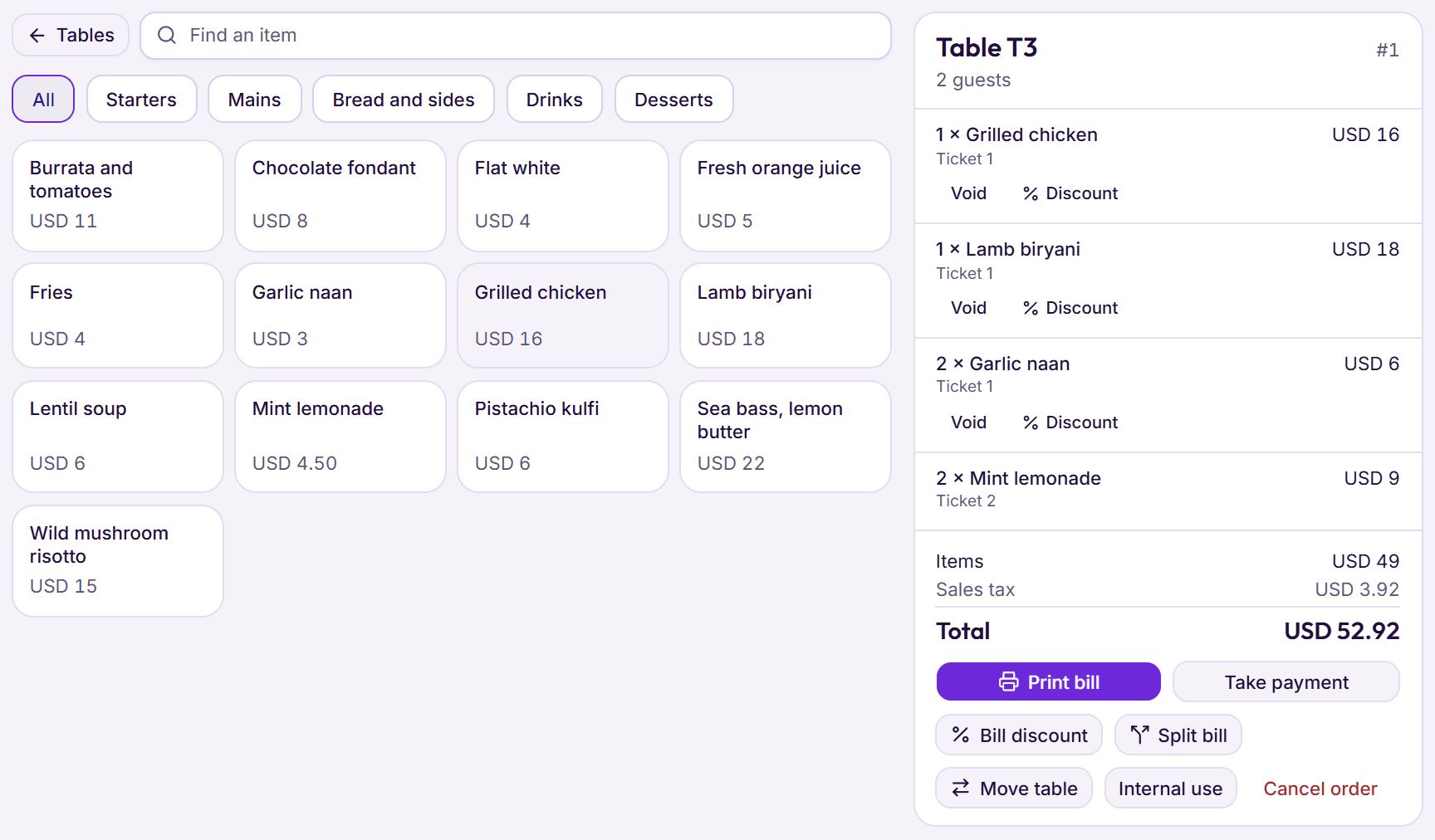
Step 1: Open a table and take the order
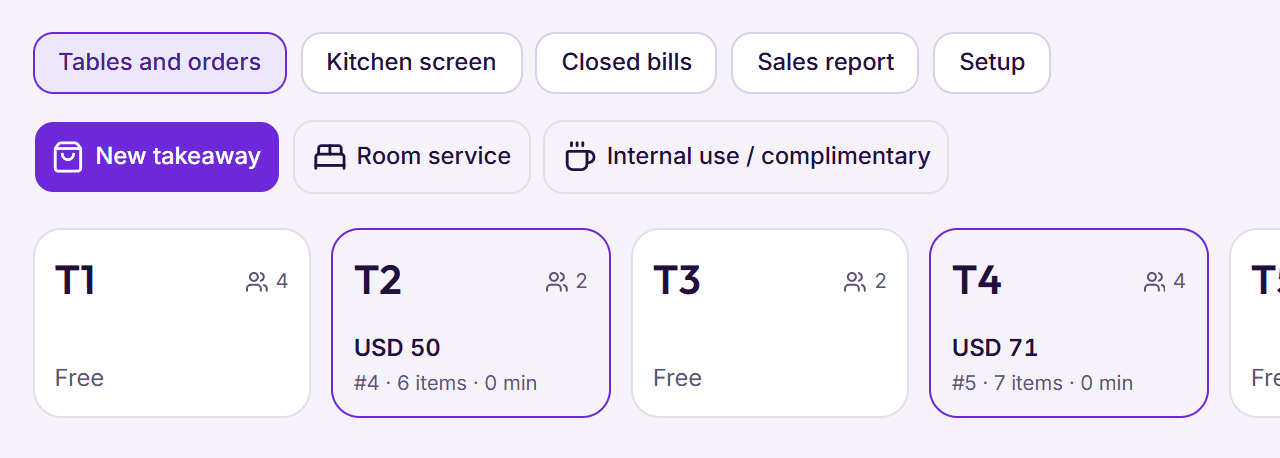
Pick a table from the floor, or start a takeaway or room‑service order. Tap dishes from the menu, set how many, and leave a note for the kitchen.
- Tables grouped by area, each showing its running total
- Quick notes like No onion or Well done
- Room service only for rooms with a guest checked in
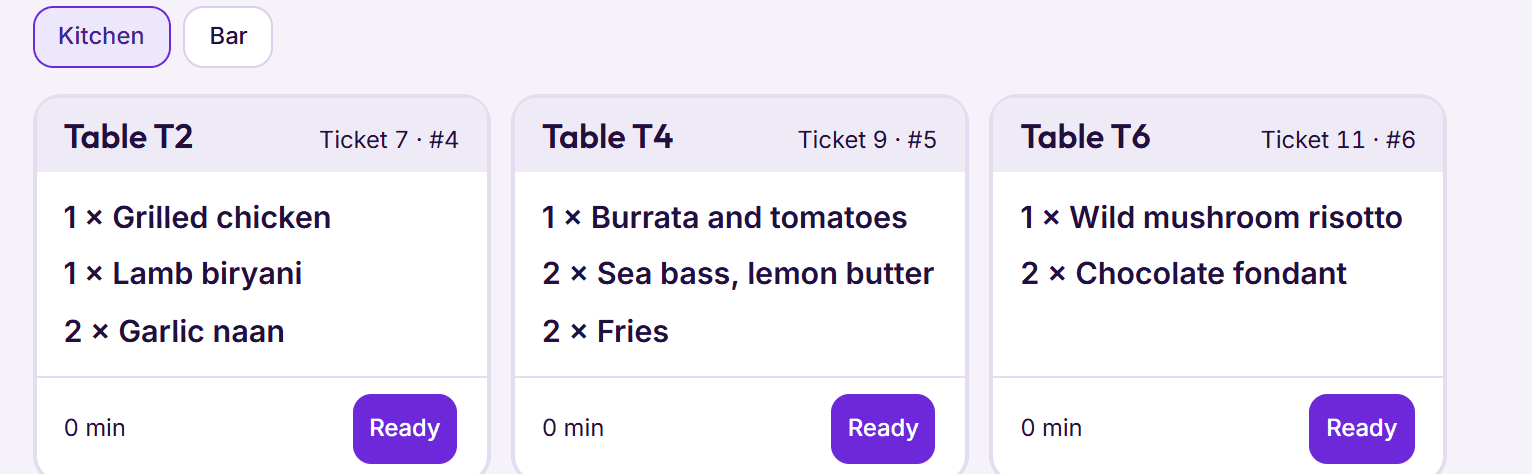
Step 2: Send it to the kitchen and bar
Each station gets its own numbered ticket, on paper or on the kitchen screen, oldest first. A ticket still waiting after 20 minutes turns amber.
- A ticket prints once; a copy needs a manager
- Short on an ingredient? BedKeys names it before anything is sent
Step 3: Change the bill the right way
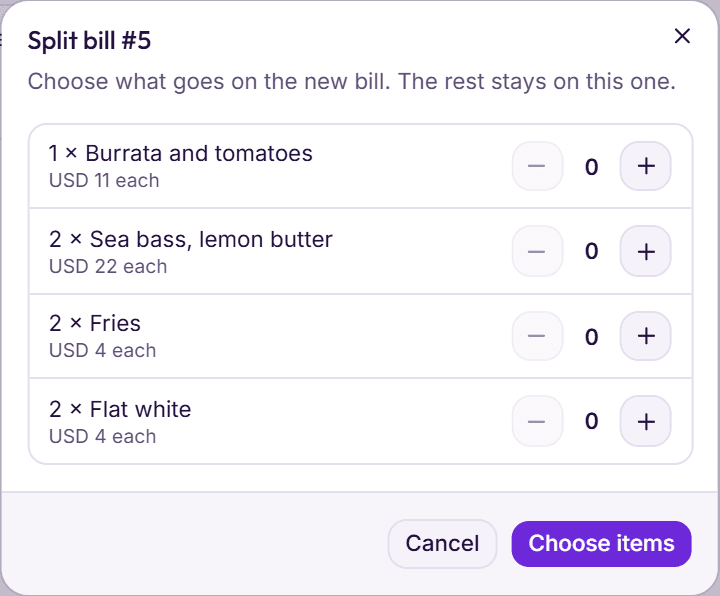
Split a bill by dish, move the party to another table, or give a discount. Every void and discount keeps its reason and the manager who approved it.
- Split even part of a line: one of two plates
- Staff need a manager’s PIN or password to void or discount
- Staff meals and complimentary dishes recorded at cost
Step 4: Settle at the till or on the room
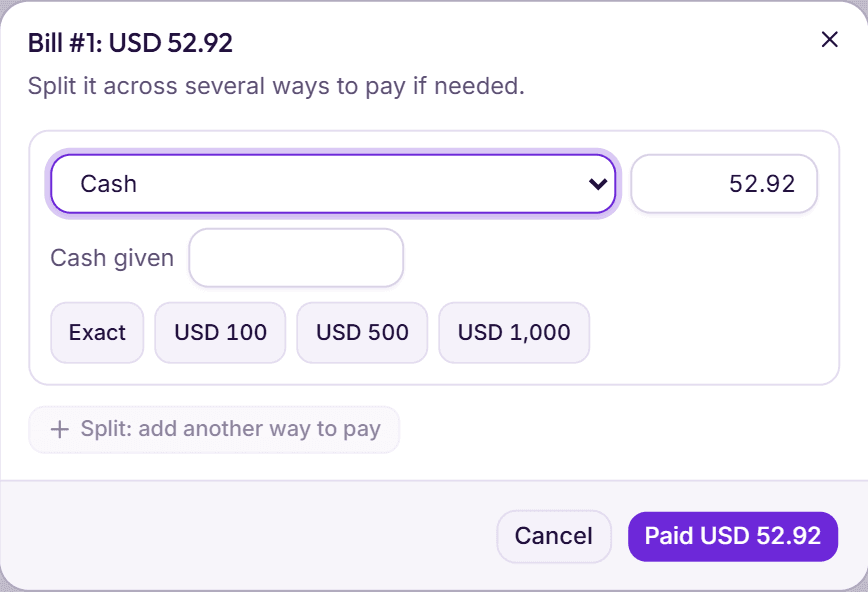
Take cash with the change worked out, a card on your own machine, a bank transfer or a mobile wallet, or put the bill on a checked‑in guest’s folio.
- More than one way to pay on the same bill
- 80 mm bill and receipt with your tax numbers
- Cash goes into the open shift in the cash drawer
Outlets
A restaurant, room service, a bar or a café, each with its own footer on the bill.
One menu
Categories, prices before tax, and an Available today tick for anything sold out.
Takeaway
Orders with a name to call out when they are ready.
Kitchen and bar screens
Staff tap Ready or Seen; cancelled dishes show in red.
Recipes
Each dish takes its ingredients from the store at average cost as it is sent.
Store and suppliers
Purchase orders, part deliveries, stock counts and a reminder when a count is due.
Sales tax
Your own rate for food and drinks, added after any discount.
Sales report
By dish, category, payment method and staff member, for any range of dates.
Closed bills
The latest receipts, ready to print again.
Something else on your mind? See every question, or book a demo and ask us directly.
Can a guest put a meal on their room?
Yes, while they are checked in. The bill goes to their folio with its share of the tax, and they settle it with the rest of the stay.
Do I need special hardware?
No. The till runs in a browser on a PC, tablet or phone. Tickets and bills print on an 80 mm receipt printer or any printer the browser can use.
What happens when the kitchen runs out of something?
BedKeys checks the store before a ticket goes out and names each ingredient that is short. You can send the rest of the order and keep those dishes back.