Clean, checked and ready, one tap at a time
Housekeepers work from a phone a manager has approved. The rooms needed today come first, each step is a single tap, and only rooms marked ready are offered at check‑in.
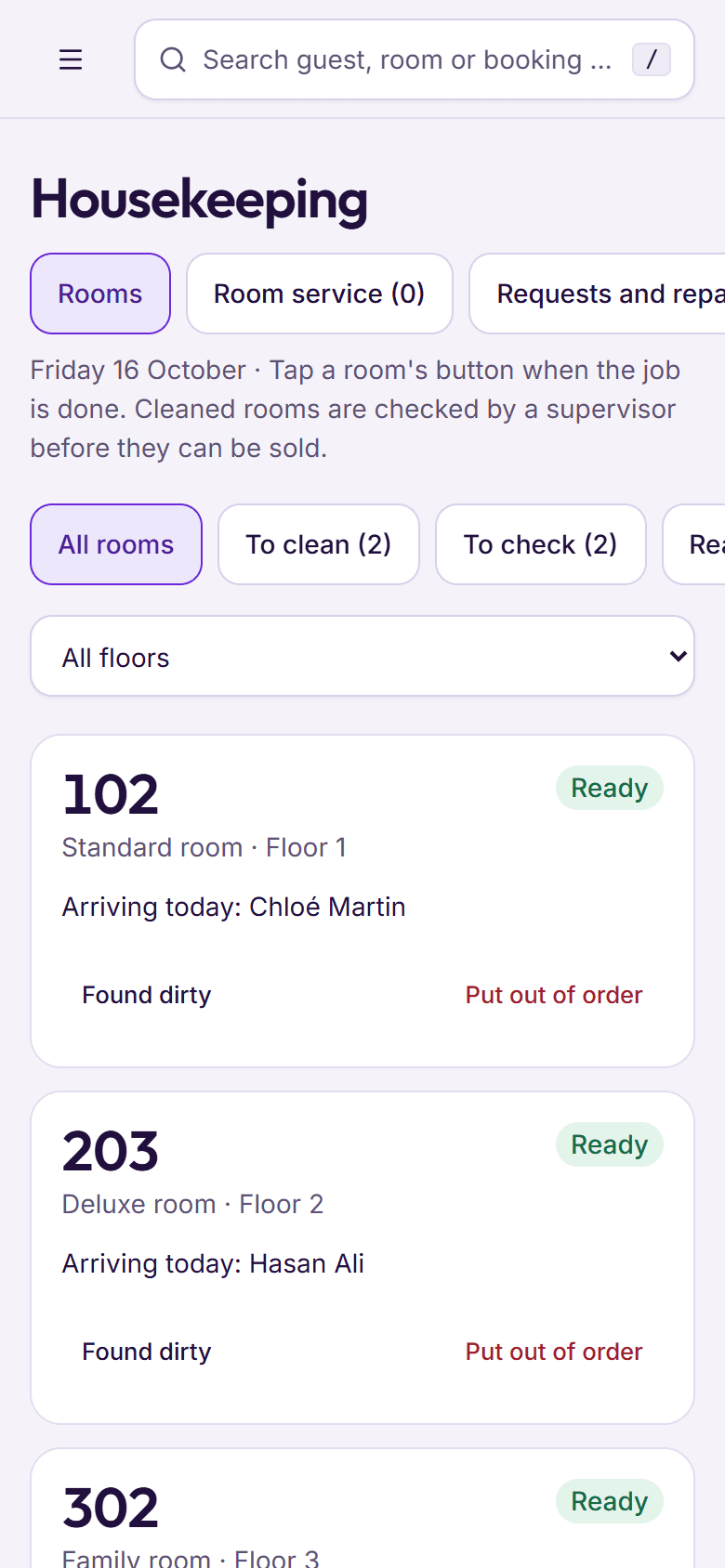
Step 1: Start with the rooms needed today
Rooms with a guest arriving today come first, marked with who is coming, then rooms whose guests have just left. A manager gives each room to a housekeeper.
- A My rooms list for each housekeeper
- Check‑outs put rooms on the list by themselves
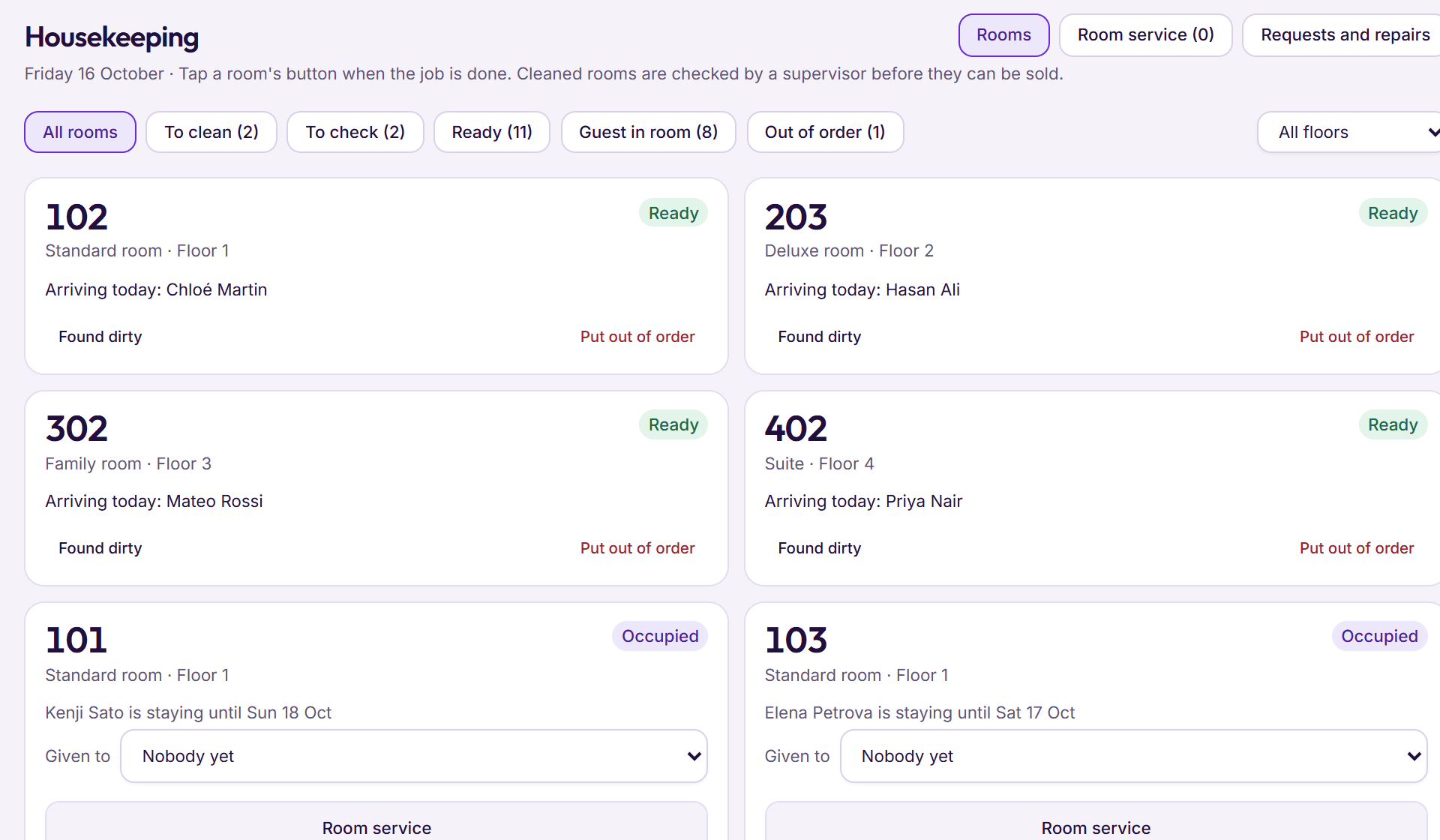
Step 2: Clean the room and mark it
One tap moves a room from Dirty to Cleaned. If the signal drops on an upper floor, the phone keeps the tap and sends it when it is back.
- Sign in with a 4 to 6 digit PIN, no email needed
- A shared phone works for the whole team
Step 3: Check it, then it’s ready
With checks switched on, a cleaned room waits for someone to tap Checked, room is ready. Switch checks off and one tap takes a room straight to Ready.
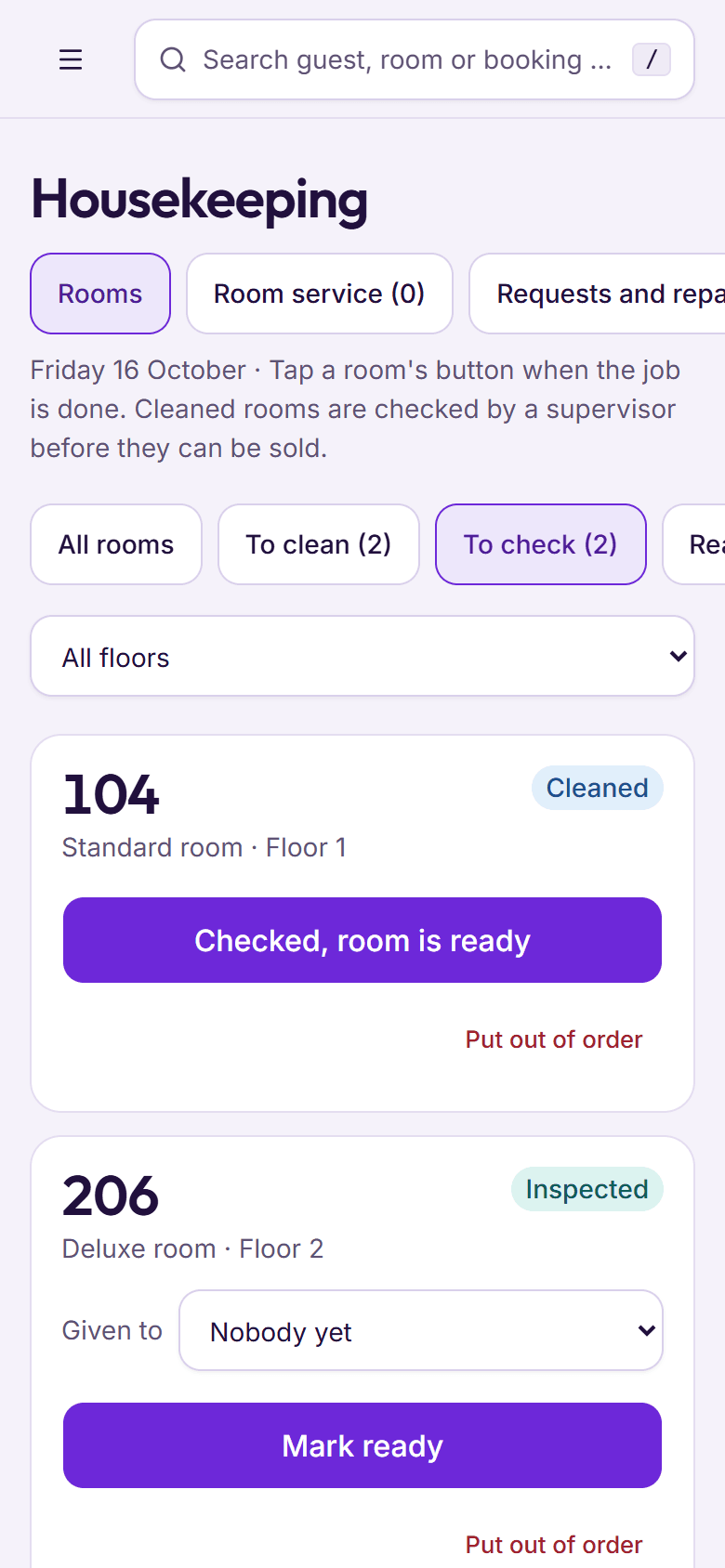
Step 4: The desk can sell it
Check‑in only offers rooms that are ready, and the desk sees how many rooms are left to clean and how many are waiting to be checked.
- A dirty room is refused at check‑in, with the reason
- A room out of order comes off sale for the night
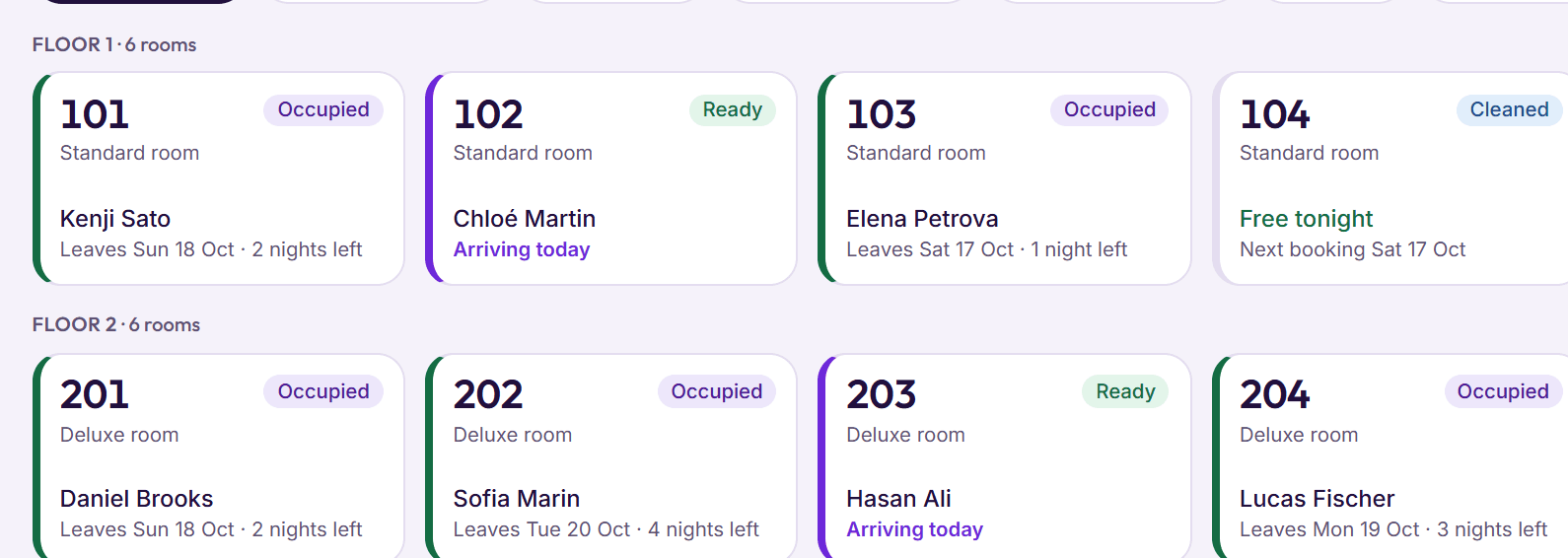
Room service requests
Towels, pillows, an extra bed or laundry for an occupied room, given to someone and ticked off when done.
Requests and repairs
Repairs, guest requests, extra cleaning and turndown, with urgent ones first.
Out of order
Pick the reason from a short list; BedKeys warns you if a guest is due in the room tonight.
Lost property
Each item gets a tag and a keep‑until date 90 days on. Handing it back records who collected it.
PIN sign‑in
No 1111s or 1234s, and five wrong tries lock the phone for 15 minutes.
Approved phones
A manager approves each phone once, from Settings or the housekeeping screen.
Floors
Filter the list by floor, or show only rooms waiting to be checked.
Any screen
One column on a phone, two or three on a desktop, with bigger buttons on touch screens.
Linen and supplies
Linen, toiletries and minibar stock kept in the store and counted on a schedule you set.
Something else on your mind? See every question, or book a demo and ask us directly.
Does every housekeeper need their own phone?
No. Any phone with a web browser works. A manager approves it once, then each housekeeper taps their name and types their own PIN, so a team can share one phone.
What if the Wi‑Fi doesn’t reach every floor?
Room status taps are saved on the phone and sent as soon as it is back online, while the housekeeping screen stays open. If someone changed the room in the meantime, the housekeeper is told.
Can a guest’s request go to housekeeping?
Yes. The desk or a housekeeping manager logs it as a room service request, gives it to a housekeeper and marks it urgent if the guest is waiting.